
Audio extraction with the Integral 2
One 3.5mm connector on the Integral 2 — labelled D/A with a headphone symbol — replaces a whole audio de-embedder box: analog stereo for a TV or amplifier, optical 5.1 Dolby/DTS for a receiver, and even TV ARC audio forwarded to an AVR that has no HDMI input for it.
How the D/A output works
It is a 2-in-1 connector: plug in a regular 3.5mm stereo cable and you get analog stereo; plug in a 3.5mm mini-TOSLINK cable (or a mini-TOSLINK adapter on a regular TOSLINK cable) and you get digital audio up to 5.1 Dolby/DTS. The analog output has volume, bass and treble control from the GUI, RS232 (#set audiovol, #set audiobass, #set audiotreb) or the app.

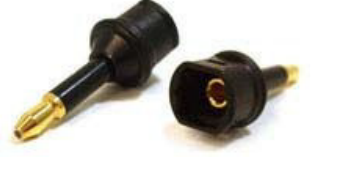
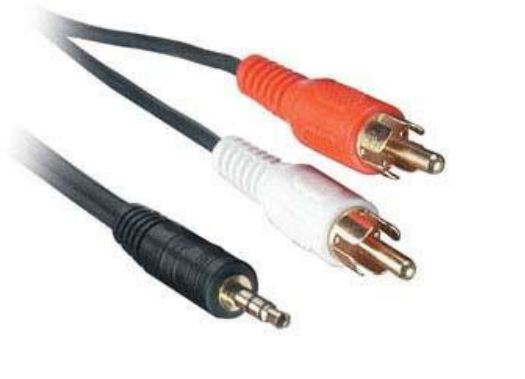
What you can do with it
- Old AVR without 4K HDMI: video goes straight to the display at full quality; the AVR gets 5.1 over optical from the D/A jack. Your receiver stays useful without ever touching the video path.
- Atmos and DD+ while downscaling: the Integral 2 passes any sound format including Atmos and DD+ through HDMI while downscaling the video for an older AVR in the video path.
- TV apps to your receiver (ARC): connect the TV's ARC-capable HDMI input to the Integral 2's BOT output, set the CEC device type to Audio System w/ARC, and sound from the TV's own streaming apps comes out of the Integral 2's optical output or analog jack. With [ARC ALLOW DD+/ATMOS] enabled, an AVR that accepts 192kHz over optical can even receive DD+ and Atmos this way — note that only a very few AVRs support 192kHz via optical, and Atmos over ARC also requires an HDMI cable that supports 192kHz ARC.
- Simple stereo zones: feed a TV without a sound system, an active speaker set or a headphone amplifier directly from the analog output, with volume/bass/treble trimmed from the app.
Honest limits
The S/PDIF output carries stereo and 5.1 only; the analog output is stereo only. Lossless formats (TrueHD, DTS-HD MA, full Atmos) are transmitted through the HDMI outputs only — the Integral 2 does not compress or down-convert incoming audio. If you need lossless in your AVR, the AVR belongs on an HDMI output (and the video for it can be downscaled independently).
Do you need it for audio?
Yes, if you want to keep an older receiver or stereo set in play next to a modern 4K/HDR video path, need TV-app sound in a receiver without ARC/HDMI, or want one box that splits video and audio cleanly.
No, if your AVR already sits happily in the HDMI chain and handles everything — then extraction adds nothing.
Buy the HDfury Integral 2 at HDfury.eu